UK horse racing API: a developer’s guide
Build a clean race-day view from RacingAPI.net: declared meetings, races, runners, live odds, results and weather, while preserving UK-and-Ireland region handling.
Published 30 Oct 2026Updated 30 Oct 20266 min read
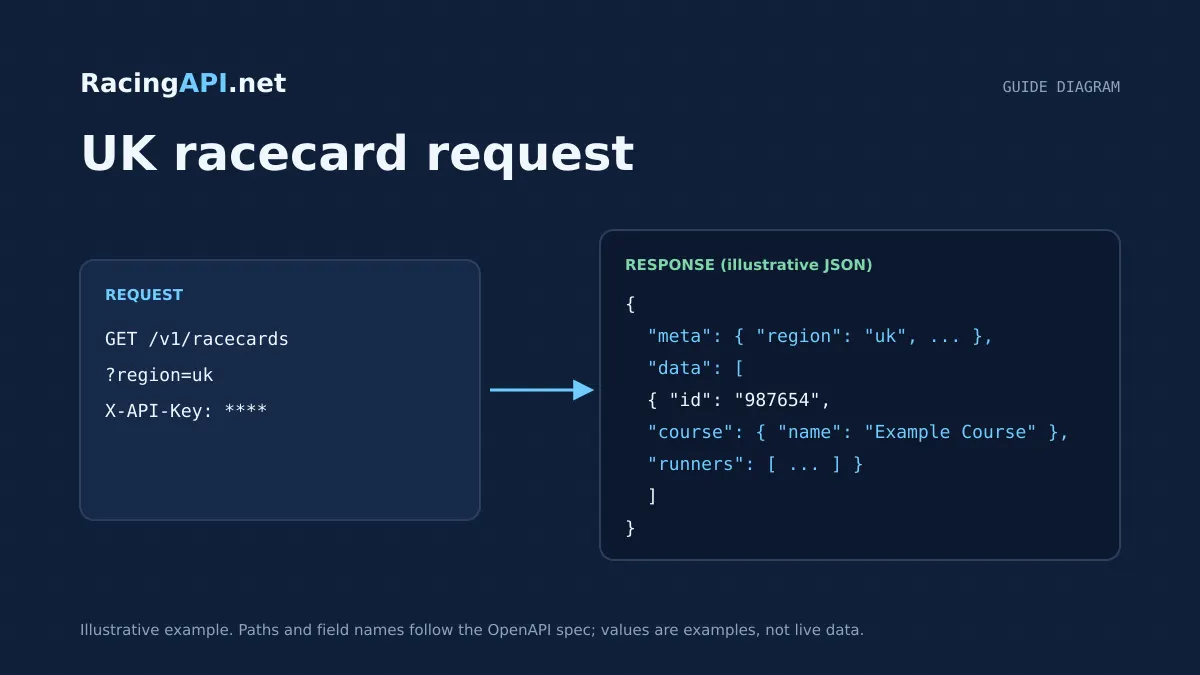
A useful race-day screen is not just a list of races. It has to answer, quickly and accurately, what is running today, which runners are declared, what has changed, and how the meeting is progressing once results start arriving. This guide shows how to build that view with RacingAPI.net using the region=uk feed, while keeping the data model honest about what the API actually supplies.
For this article, “UK scope” means the British race-day experience you present to users, but you should preserve the documented region handling: region=uk returns the combined UK and Ireland daily feed. That matters when you build menus, filters and labels, because the feed can include Irish meetings alongside British ones, and your display should reflect the returned data rather than assuming a UK-only source.
Try the documented request
Start with the combined UK and Ireland racecards. Reuse returned IDs and the selected feed date for related race, result, odds and runner requests.
# Set RACINGAPI_KEY on your server; use IDs returned by the feed.
# FEED_DATE must be YYYY-MM-DD in the feed context you want.
curl --fail-with-body --max-time 15 --get \
  "https://racingapi.net/v1/racecards" \
  -H "X-API-Key: ${RACINGAPI_KEY}" \
  --data-urlencode "region=uk" \
  --data-urlencode "date=${FEED_DATE}" \
  -H "Accept: application/json"
Run this on your server, not in public browser code. Replace the environment variables before running it. Respect the response cache headers and Retry-After; do not retry failed requests without a limit.
Start with the daily feed, not a hard-coded fixture list
The centre of a race-day view is the daily feed. Use the racecards endpoint to discover the meetings and declared runners that are available for the selected region and date, then let the feed drive everything else on the page. That approach avoids stale fixtures, missed non-runners, and awkward special cases when an added meeting appears later in the day.
For a British race-day interface, the practical pattern is to load the region=uk racecards feed first, then group the returned meetings into a user-facing order such as course, race time or race status. The response gives you the core fields you need for a summary card: meeting identity, course, date, time, distance, going and runners.
- Use racecards to populate the day’s meeting list.
- Treat the feed as the source of truth for what is currently declared.
- Do not assume a separate Ireland feed exists; region=uk already includes both countries.
Model meetings and races separately in your UI
A strong race-day page usually has two levels: the meeting and the race. The racecards feed can give you the overview, but race details are better rendered from the race-specific endpoint once the user opens a meeting or selects an individual contest. That separation keeps the list page light and lets the detail page carry fuller context without clutter.
The race details endpoint is useful when you want to show the race name, class, purse, distance and declared runners for a single race ID. It is the cleaner choice for detail drawers, race tabs or mobile drill-downs, where the user expects to move from the meeting summary to a focused race view.
- Meeting view: course, time, going, number of runners.
- Race view: race name, class, purse, distance and runner list.
- Keep the meeting card short; move race-specific detail into the drill-down.
Handle declared runners and late changes without inventing extra data
Your race-day display should be careful about what the API does and does not claim. The documented feeds provide declared runners and race context, but they do not promise a complete career database or every historical change. Build around the current daily feed and label the information as declared or available in the selected feed.
If a runner appears in the racecards feed, show it as declared for that race. If your product needs a later non-runner indicator, you should not manufacture it from outside assumptions. Instead, refresh the racecards and race detail endpoints at sensible intervals and let the returned feed represent the latest known state. That keeps the UI consistent with the actual data contract.
- Present runners as declared from the feed, not as a career archive.
- Refresh the meeting and race detail views to pick up changes.
- Avoid implying that every status change is available as a dedicated event stream.
Add runner context with horse search and horse profiles
Once the user clicks a runner, the horse search and horse profile endpoints are the most direct way to add context. Horse search is designed for declared runners in the selected regional daily feed, so it is suitable for resolving the runner into the correct horse ID without treating it as a complete database of every horse ever raced.
From the horse profile, you can show the basics that help a race-day user make sense of the card: identity, age, gender, rating and form. Keep the copy precise. The form data is available within the selected daily feed, so it should be presented as current context, not as a full career timeline.
- Use horse search to resolve the declared runner to an ID.
- Use horse profiles for current-feed context only.
- Do not label the returned form as complete historical performance.
Surface jockey and trainer connections as race-day context
Trainer and jockey data works best as supporting context, not as a replacement for the racecard. The connections endpoints are useful when you want to show bookings and horse-specific connections within the selected daily feed. That makes them a good fit for a compact race-day sidebar, runner drawer or tooltip.
Because these endpoints are scoped to the daily feed, your wording should stay equally scoped. Use phrasing such as “declared runner connections” or “within today’s feed” rather than broad claims about career records. That keeps the page accurate and prevents users from assuming they are looking at full historical trainer or jockey statistics.
- Show bookings where the feed provides them.
- Treat connection data as daily-feed context.
- Avoid wording that implies full career statistics.
Switch the page from preview to results as the meeting progresses
A race-day view should not stop at the off-time. Once races finish, the results endpoints let you turn the same meeting experience into a results page without changing your navigation structure. The results feed provides finishing positions, starting prices and available result details, while the race result endpoint is helpful when you want the full result record for a specific race.
This is the point where a clean state model matters. Keep your scheduled race cards visible where appropriate, but mark completed races clearly and move their detail pane over to the result payload. That gives the user a seamless transition from preview to outcome without forcing them into a separate section of the site.
- Use results for a multi-race results list.
- Use the race result endpoint for one selected race.
- Preserve the original race identity so the user can compare preview and outcome.
Use weather and odds as contextual layers, not replacements for the card
Course weather can add useful context to the race-day screen, especially when you want to explain how conditions may feel at the track. RacingAPI.net supplies course-location weather forecasts with temperature, rainfall, wind and humidity, and the forecast is separate from official going. That distinction matters, so keep the source attribution visible and do not merge forecast weather into the going field.
Odds can also be layered into the race view, but the odds endpoint should be displayed exactly as observed. Preserve the bookmaker, price string and timestamped context you receive, and avoid implying universal bookmaker coverage or a guaranteed refresh cadence. The safest presentation is to show the market snapshot beside the racecard, not as a complete or definitive book.
- Weather is forecast context; going remains a separate race attribute.
- Odds should be rendered as observed prices, not normalised claims.
- Do not assume every bookmaker or every runner is covered on every race.
Key takeaways
- Use the region=uk daily feed as the source of truth, but present it honestly as the combined UK and Ireland feed.
- Build the race-day experience in layers: meetings first, then race detail, then runner context, then results as the day unfolds.
- Keep weather and odds as contextual overlays, and preserve the API’s scoped language for runners, form, connections and results.
Feed-family explorer
What each family covers, with links to the documentation that defines it. Plan availability is listed on the pricing page.
Racecards
All plans- UK and Irish meetings, races and declared runners
- Supplied identifiers for joining detail requests
- Going, distance and race context as supplied
Frequently asked questions
Should I call region=uk if my site is meant to be British-only?
Yes, if you want the documented UK feed. Just remember that region=uk returns the combined UK and Ireland feed, so your interface should not label it as UK-only if Irish meetings are present in the response.
Which endpoint should power my main race-day landing page?
Start with racecards. It is the best entry point for declared meetings and runners, then use race details when the user opens a specific race and results when the card becomes a results page later in the day.
Can I treat horse form as a full career history?
No. The horse form and connection data are supplied within the selected daily feed, so they are best used as race-day context. They are not documented as a complete career or long-horizon history.
How should I show weather next to going?
Keep them separate. The weather endpoint is a course-location forecast from MET Norway, while going is part of the race feed. Display forecast weather as supporting context and retain its attribution.
What is the safest way to display prices from the odds feed?
Show the bookmaker and the observed price string exactly as received. Do not imply guaranteed bookmaker coverage, fixed update intervals or a complete market across every race.
Related guides
All guides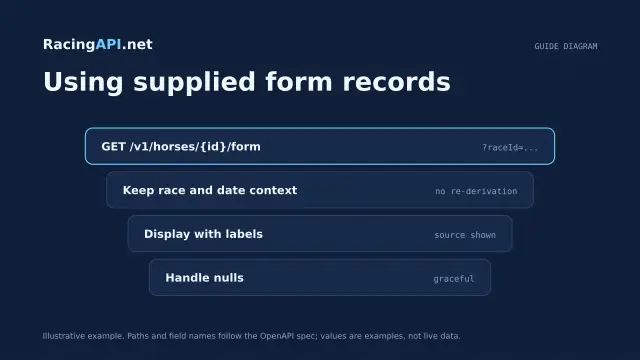 Racing data
Horse form and statistics API: using supplied records
Learn how to read RacingAPI.net horse form and statistics as supplied daily-feed summaries, with sensible handling of missing values, sample size and regional context.
 Racing data
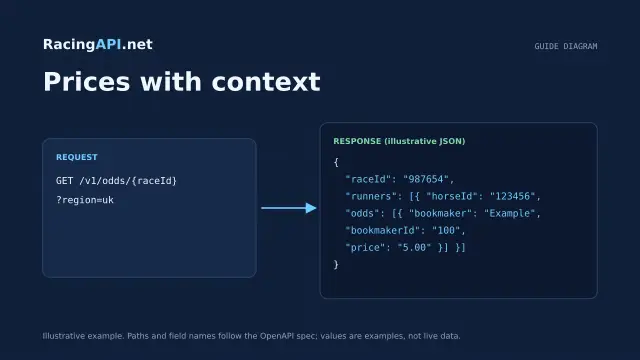
Horse racing odds API: prices with context
Learn how RacingAPI.net delivers observed horse racing odds with timestamps, price formats, missing-price handling and useful context for own-site comparison.
 Racing data
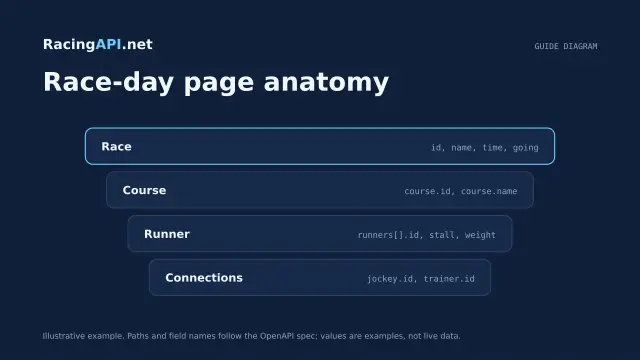
Horse racing racecards API: building a race-day page
Build a race-day page with meeting, race and runner data, careful declaration handling, and reliable detail fetching from RacingAPI.net.