Horse form and statistics API: using supplied records
Learn how to read RacingAPI.net horse form and statistics as supplied daily-feed summaries, with sensible handling of missing values, sample size and regional context.
Published 30 Oct 2026Updated 30 Oct 20267 min read
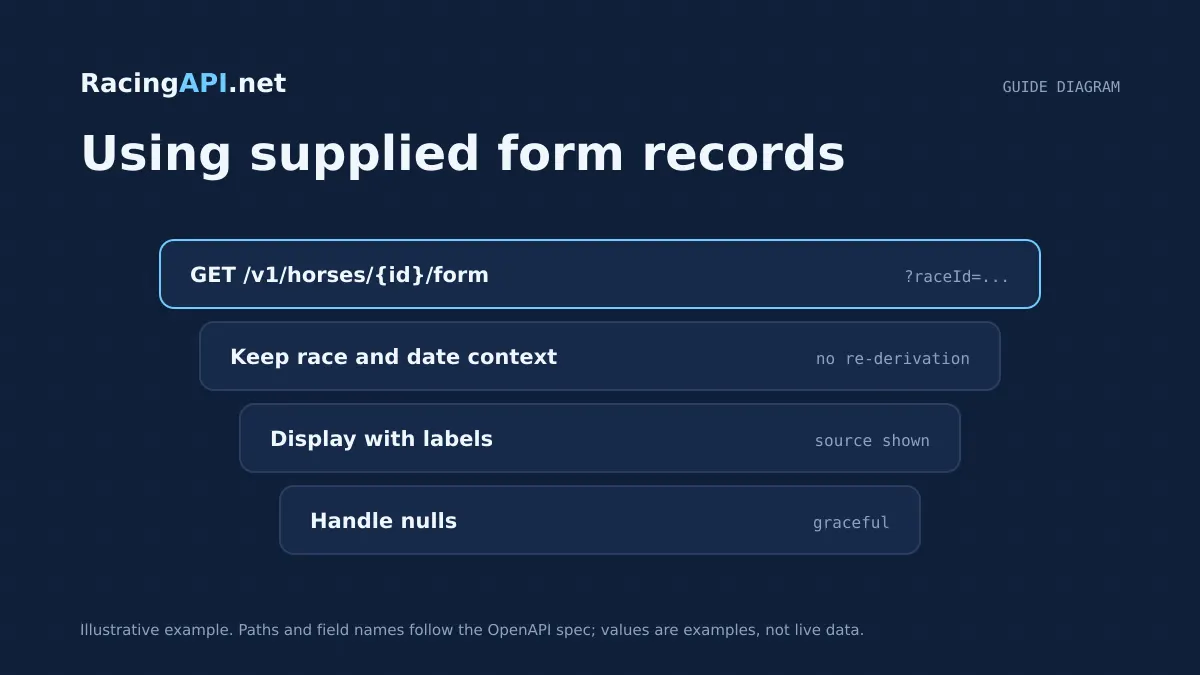
Horse form data is most useful when you treat it as a supplied snapshot, not a career archive. RacingAPI.net returns summary form and connection records inside the selected daily feed, tied to a specific region, race date and race context. That means the numbers are best read as current racebook evidence for declared runners, rather than a promise of complete long-term history.
This guide shows how to interpret the form and statistics records you are actually given: what the runs and wins imply, why missing values matter, and how the daily-feed scope changes the meaning of each field. The aim is to help you build displays and logic that stay honest about sample size, coverage and freshness.
Try the documented request
Use a horse ID and its matching race context from the daily feed. Supplied summary form is not a complete career-history database.
# Set RACINGAPI_KEY on your server; use IDs returned by the feed.
# FEED_DATE must be YYYY-MM-DD in the feed context you want.
curl --fail-with-body --max-time 15 --get \
  "https://racingapi.net/v1/horses/${HORSE_ID}/form" \
  -H "X-API-Key: ${RACINGAPI_KEY}" \
  --data-urlencode "region=uk" \
  --data-urlencode "date=${FEED_DATE}" \
  --data-urlencode "raceId=${RACE_ID}" \
  -H "Accept: application/json"
Run this on your server, not in public browser code. Replace the environment variables before running it. Respect the response cache headers and Retry-After; do not retry failed requests without a limit.
Read the supplied scope before you read the numbers
The first thing to check is the scope attached to the response. Horse form and connection data are supplied in the context of the selected daily feed, which means they are linked to a particular region and race date rather than to a universal horse record. If you surface the numbers without that context, users can easily mistake a feed-limited summary for a complete biography.
For horse form, the useful anchor points are the horse identifier, horse name, race identifier, feed date and scope. Those fields tell you where the summary came from and which racecard it belongs to. In practice, that lets you answer a simple question: 'What does this horse look like in today’s declared-runners context?' not 'What is the horse’s entire career story?'
This distinction matters for downstream logic. If a runner appears in one daily feed and not another, that does not mean the horse lacks history; it means the supplied summary varies with the feed you selected. Build your UI and data model around the feed boundary, not around assumptions of universal completeness.
- Use the feed date and race ID as part of the display context.
- Do not treat supplied form as a full career database.
- Expect availability to vary by horse and by the selected daily feed.
Use runs and wins as summary evidence, not a verdict
When a form summary includes runs and wins, the right interpretation is straightforward but limited. Runs tell you how much supplied evidence sits behind the summary, while wins tell you how often that evidence includes a victory in the available record. A horse with a high run count gives you a more stable sample than a newcomer, but the count is still only as complete as the feed scope allows.
This is where sample size matters. A horse with two runs and one win is not automatically stronger than a horse with twenty runs and three wins. The smaller sample is more volatile, and the same record can look very different once more runs are added in later feeds. Present the figures as evidence of form, not as a forecast of future certainty.
If your interface shows percentage-style summaries, make sure users can still see the underlying counts. A win rate without the raw runs is easy to over-read. In racing, the denominator is doing a lot of work, and missing or partial data should make that obvious rather than hiding it.
- Runs indicate evidence volume, not guaranteed reliability.
- Wins should be read alongside the number of runs, never alone.
- Small samples are inherently less stable than larger ones.
Treat missing values as a normal part of the feed
Some fields will be present for one horse and absent for another. That is not an error to smooth over; it is part of the actual record supplied. In horse form summaries, availability can vary by horse, so missing values should be represented clearly rather than inferred, copied from another runner or replaced with zeroes by default.
The safest approach is to distinguish between 'not supplied' and 'supplied as none'. Those are different states. If you collapse them, you can mislead users into thinking a horse has no relevant record when the feed simply did not provide that field. For a racing display, transparency is more useful than forced completeness.
Missing values also help you qualify confidence. If a record lacks enough supporting detail, avoid presenting the horse as fully profiled. Instead, show the form summary that is present and leave the gaps visible. That keeps the interface honest and prevents accidental over-interpretation of thin data.
- Do not convert missing fields into guessed values.
- Show when a field is unavailable in the selected feed.
- Preserve the difference between unknown, omitted and zero.
Compare horses only inside the same race context
Race context changes how a form summary should be read. The same horse may appear differently depending on the racecard, the region and the date selected. That is because the form record is supplied for the declared runners in the chosen feed, not for a global archive of every possible meeting. So your comparison logic should stay inside a single race context whenever possible.
A practical example is horse-to-horse display in one racecard. Comparing two runners from the same race is sensible because they share the same feed date, region and race conditions. Comparing a runner from today's feed with another runner drawn from a different day can be misleading, especially if one record is more complete than the other.
This also applies to trainers and jockeys when they are shown alongside form. Connection summaries are supplied within the same daily-feed context, so they should be read as local evidence linked to the selected race and date. That is useful for short-term analysis, but it is not the same as a full career ledger.
- Prefer like-for-like comparisons within one racecard.
- Keep date and region visible when displaying form.
- Use the same feed boundary for runner and connection summaries.
Design display rules that make the limitations obvious
Good product design can prevent many data mistakes. Start by labelling the summary clearly as supplied form or supplied statistics. That wording helps users understand that the record is contextual and feed-based, not a complete historical dossier. When you can, show the feed date next to the horse name so the freshness of the record is obvious.
Next, surface counts before derived interpretations. A clear presentation might show runs, wins and any available form summary first, then let the user infer value from that evidence. If you add sorting, keep the sort criteria simple and explainable, such as runs or wins, rather than implying that the feed contains enough information for a deep statistical model.
Finally, be careful with default messages. A record with limited coverage should not be dressed up as 'insufficient data' unless that is truly what the feed indicates. More often, the better message is 'partial supplied record for this daily feed'. That phrasing is specific, accurate and easier for developers to test against.
- Label records as supplied feed data, not full career history.
- Place counts before derived interpretation in the UI.
- Show the feed date and race context wherever the summary appears.
Practical integration patterns for developers
A robust implementation usually starts with one simple rule: store the raw fields exactly as received, then build presentation logic on top. That preserves the original context and lets you re-render the same record in different parts of your app without losing meaning. It also makes it easier to detect when a value was missing versus merely hidden in the interface.
For analytics, separate supplied summary stats from your own calculations. If you compute a derived ratio or ranking, keep it visibly downstream of the API data rather than presenting it as a native feed field. That way, your application stays clear about what RacingAPI.net supplied and what your own code inferred.
When you combine horse form with racecards, results or connections, keep the join logic conservative. Join by the race and horse identifiers you were given, and avoid stretching the record across unrelated dates. In racing data, restraint is usually the better engineering choice: it produces displays that are easier to explain, easier to debug and less likely to overstate what the feed can prove.
- Persist raw feed values before adding your own calculations.
- Keep derived metrics visually separate from supplied fields.
- Join records only on the identifiers and scope you were given.
Key takeaways
- Horse form on RacingAPI.net is a daily-feed summary, so always display the selected race, region and feed date with the record.
- Runs and wins are useful only when you respect sample size and avoid treating partial coverage as a full career history.
- Missing values should stay visible and distinct from zero, because feed availability varies by horse and by context.
Feed-family explorer
What each family covers, with links to the documentation that defines it. Plan availability is listed on the pricing page.
Racecards
All plans- UK and Irish meetings, races and declared runners
- Supplied identifiers for joining detail requests
- Going, distance and race context as supplied
Frequently asked questions
Does horse form include a complete career history?
No. RacingAPI.net supplies horse form and statistics within the selected daily-feed context. That means the record is a summary of the runners and conditions in that feed, not a promise of a full long-term career archive.
How should I read runs and wins when the sample is small?
Treat them as evidence, not certainty. A small number of runs can produce misleading-looking win figures, so always show the raw counts and avoid presenting the summary as predictive. The smaller the sample, the more cautious your interpretation should be.
What should I do when a field is missing?
Leave it visibly missing rather than guessing a value. In this feed, availability varies by horse and by daily context, so the safest display is one that distinguishes unknown or unavailable data from zero or none.
Can I compare runners from different dates or regions?
You can, but it is usually a weak comparison. Horse form is supplied against a specific feed scope, so the fairest comparison is inside the same racecard, date and region. That keeps sample size and coverage differences under control.
Related guides
All guides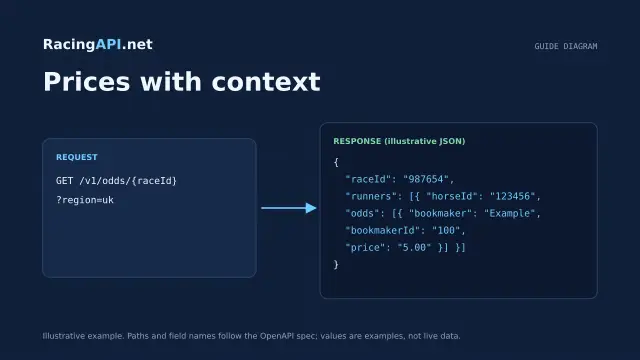 Racing data
Horse racing odds API: prices with context
Learn how RacingAPI.net delivers observed horse racing odds with timestamps, price formats, missing-price handling and useful context for own-site comparison.
 Racing data
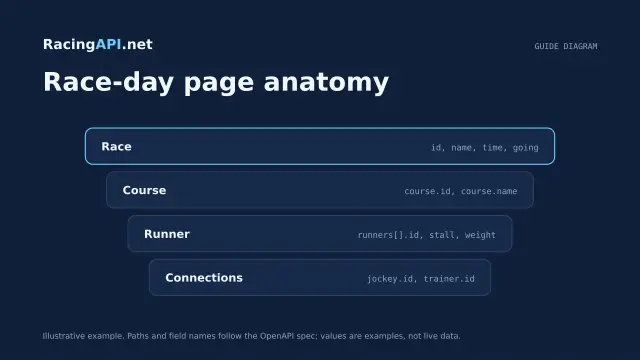
Horse racing racecards API: building a race-day page
Build a race-day page with meeting, race and runner data, careful declaration handling, and reliable detail fetching from RacingAPI.net.
 Racing data
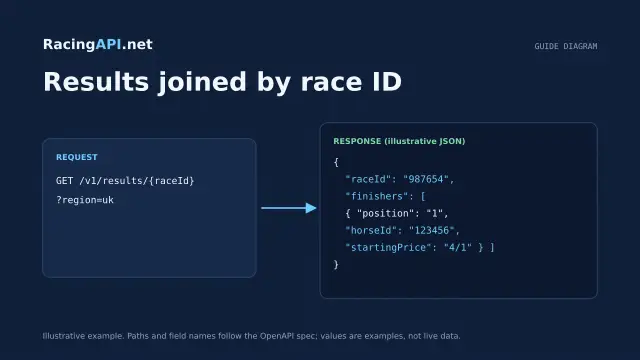
Horse racing results API: displaying race outcomes
Learn how to join racing results to racecards, handle corrected placings and incomplete data, and keep results separate from tips and settlement logic.