Horse racing API caching and rate limits
Plan shared caching and backoff around RacingAPI.net so workers stay within one calendar-month budget and one per-second limit without noisy polling or duplicate calls.
Published 30 Oct 2026Updated 30 Oct 20267 min read
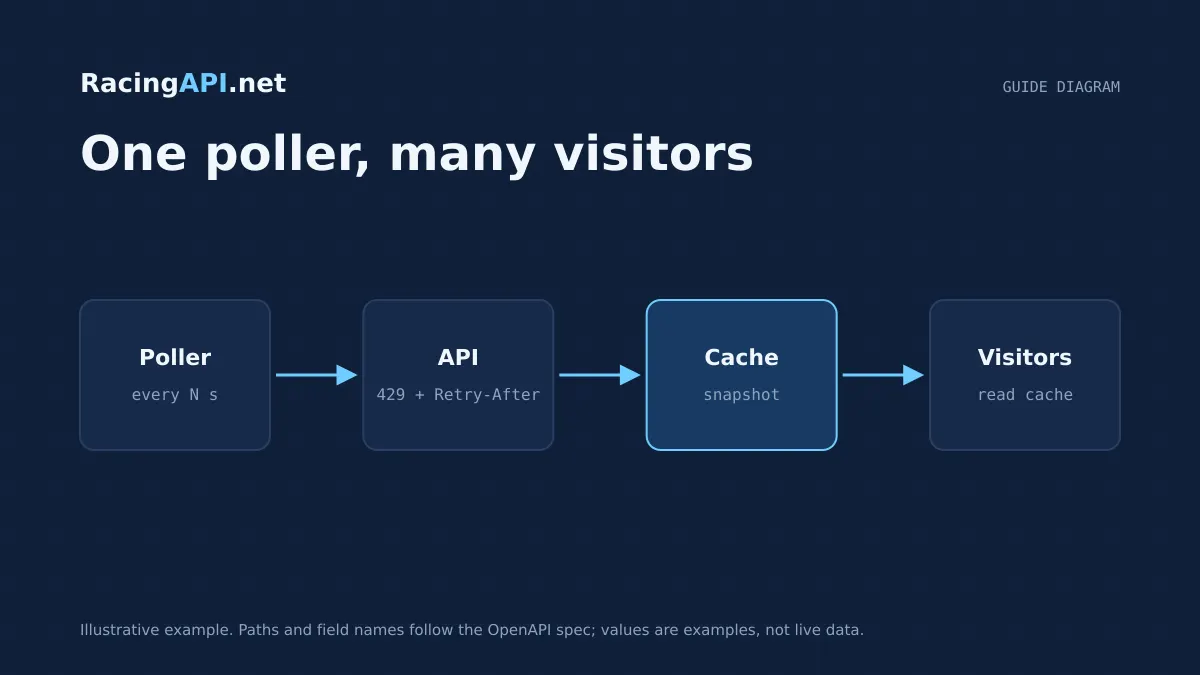
When you wire multiple services to RacingAPI.net, the hardest part is not parsing racecards or results; it is making sure every worker respects the same request budget. Because usage is aggregated across keys, a queue worker, web request and cron job can all consume from one monthly allowance if you do not coordinate them. The practical answer is central accounting, shared snapshots and a small, deliberate cache strategy.
This guide explains how to separate HTTP cache controls from your own application cache, when to reuse data across workers, and how to recover cleanly from 429 responses. The aim is to reduce duplicate calls without creating stale views, and to back off in a bounded way rather than polling until the limit clears.
Try the documented request
Start with the combined UK and Ireland racecards. Reuse returned IDs and the selected feed date for related race, result, odds and runner requests.
# Set RACINGAPI_KEY on your server; use IDs returned by the feed.
# FEED_DATE must be YYYY-MM-DD in the feed context you want.
curl --fail-with-body --max-time 15 --get \
  "https://racingapi.net/v1/racecards" \
  -H "X-API-Key: ${RACINGAPI_KEY}" \
  --data-urlencode "region=uk" \
  --data-urlencode "date=${FEED_DATE}" \
  -H "Accept: application/json"
Run this on your server, not in public browser code. Replace the environment variables before running it. Respect the response cache headers and Retry-After; do not retry failed requests without a limit.
Treat the API as one shared budget, not many independent keys
RacingAPI.net usage is counted across all of your keys, so splitting traffic between workers does not create extra allowance. A practical design starts with a central ledger that records every successful request and every retry attempt that actually reaches the API. If your web tier, background jobs and admin tools all call the same endpoints, they should all read from the same counter source before they send traffic.
For monthly planning, remember that quota resets on the first day of each calendar month in UTC. That means a local midnight reset in your own region is not good enough. If you are building a scheduler, make the reset boundary explicit and treat the month as UTC throughout. The same principle applies to per-second limits: do not let each worker enforce its own guess, because individually compliant workers can still exceed the global rate when they act together.
- Track usage centrally across every key and process.
- Count retries only when they produce a real API call.
- Reset monthly budgeting on UTC month boundaries.
- Apply one shared per-second limiter for the whole application.
Separate HTTP cache controls from your application cache
RacingAPI.net may return ordinary HTTP caching headers, but those headers are not the same thing as your application cache. HTTP cache controls tell a client or intermediary how a response may be reused; your app cache decides how your product behaves internally. Keeping those layers distinct avoids accidental leakage of user-specific data into shared storage and makes it clear which layer owns freshness.
Use the HTTP layer for transport efficiency and the application layer for product decisions. For example, a client can honour cache directives to avoid a round trip, while your own cache can hold a normalised race snapshot for several workers. Do not assume that every response should be shared broadly just because it was cacheable in transit. Personalised or account-specific data should be handled with extra care so one user’s view does not bleed into another’s.
- HTTP cache controls govern reuse in transit.
- App cache governs internal reuse and fan-out.
- Do not mix personalised data into shared caches.
- Keep cache keys explicit about region, endpoint and identity.
Handle 429 responses with bounded exponential backoff
When the API replies with 429, the correct response is to pause, not to keep asking in a tight loop. RacingAPI.net uses Retry-After on rate-limit responses, and your client should respect it. That header can be provided as a delay in seconds or as an HTTP date, so your code needs to parse both forms and convert them into a concrete wait period before trying again.
A bounded exponential backoff works well here: wait for the server-supplied delay, then retry with a small number of additional steps if needed, each one capped at a maximum delay. This gives the system time to recover without turning a transient limit into a burst of uncontrolled traffic. The important point is that backoff should be measured and finite. Once the cap is reached, fail the request gracefully and let the caller decide when the data is worth retrying.
- Prefer Retry-After over a fixed client guess.
- Accept either delay-seconds or an HTTP-date format.
- Increase wait times gradually, with an upper cap.
- Stop after a limited number of attempts instead of looping forever.
Replace polling loops with event-driven refreshes
Uncontrolled polling is the quickest way to waste quota. If your app checks the same race or results endpoint every few seconds, you will burn both your per-second headroom and your monthly allowance even when nothing has changed. A better design is to refresh only when something meaningful happens: a page is opened, a job is scheduled, a race moves closer to off time, or a previous snapshot has expired.
For live or near-live views, combine a short-lived cache with controlled refresh triggers. That gives you responsiveness without continuous background noise. If multiple workers need the same update, coordinate through one refresh owner so only one process fetches the new snapshot and the others wait for it. This pattern is much more stable than letting every worker poll independently and then compete for the same rate limit.
- Refresh on demand, not on a fixed busy loop.
- Use one refresh owner per entity when possible.
- Trigger updates from expiry, user action or schedule.
- Treat repeated empty checks as a design smell.
Build observability around quota, freshness and retries
A useful cache and rate-limit strategy needs visibility. Log which endpoint was requested, whether the response came from the API or from a shared snapshot, how long the data was considered fresh, and whether any retry obeyed Retry-After. That makes it much easier to spot workers that are bypassing the shared budget or refreshing too often.
It also helps to track which data classes justify different cache times. Racecards, race details, horse profiles and results do not all age at the same pace, and your retention policy should reflect that. Good observability turns the system from a collection of ad hoc calls into a managed flow where request pressure, freshness and retries are all deliberate choices rather than surprises.
- Record source: API response or shared snapshot.
- Track freshness age alongside each cached entity.
- Audit retry counts and retry delays.
- Separate high-churn data from slower-moving snapshots.
Key takeaways
- Build one central request budget for all workers and keys, because RacingAPI.net usage is aggregated across the account.
- Use shared snapshots to prevent duplicate fetches, but keep HTTP cache controls separate from your own application cache logic.
- Handle 429 responses with Retry-After plus bounded exponential backoff, and replace uncontrolled polling with deliberate refresh triggers.
Request-budget planner
Estimate calls from one shared server-side poller. Browser visitors should read your cache, not the API.
- Calls per day
- 1,800
- Calls per month
- 54,000
- Average rate
- 0.05 req/s
An estimate only. The average rate applies during active hours, not to bursts: space requests evenly to respect your per-second limit. Inputs are bounded to 1–86,400 seconds, 0–24 hours, 0–100 endpoints and 0–31 days. This excludes retries, detail fetches and other workers, and does not imply data freshness or plan entitlement. Compare allowances on the pricing page.
Frequently asked questions
Should each worker keep its own cache for RacingAPI.net responses?
Not if the workers are serving the same data. Individual caches can still duplicate traffic because each process decides independently when to refresh. A shared snapshot layer lets one worker fetch the response and the others reuse it, which is a better fit when quota is aggregated across keys and the same race data is being requested repeatedly.
How should I use Retry-After on a 429 response?
Read the Retry-After value and treat it as the next minimum wait. It may be a number of seconds or an HTTP date, so parse both. Then apply a bounded exponential backoff on top, with a cap and a small retry limit. That gives you controlled recovery without turning rate limiting into uncontrolled polling.
What is the difference between HTTP cache controls and my app cache?
HTTP cache controls describe whether a response may be reused in transit by a client or intermediary. Your app cache is your own storage layer for sharing snapshots across workers or sessions. They solve different problems, so keep them separate and make sure personalised data never leaks into a shared cache by mistake.
Does changing plan reset my monthly usage allowance?
No. Usage is tracked across keys and resets on the first day of each calendar month in UTC. Moving between plans does not restart the counter, so your request budget should be managed centrally rather than assumed to refresh when you change subscription tier.
Sources and references
External references for background only; they do not endorse RacingAPI.net.
Related guides
All guides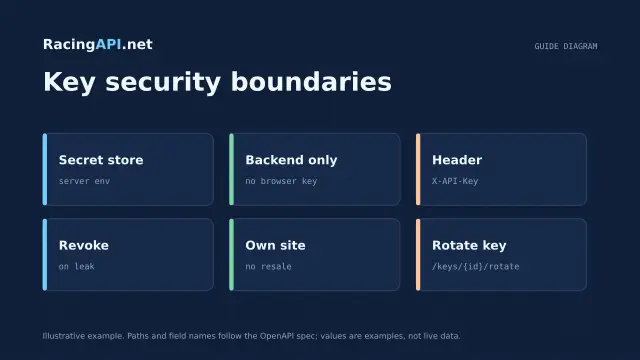 Development
Horse racing API licensing and API-key security
Practical licensing and security guidance for RacingAPI.net: own-site display, no resale, server-side X-API-Key use, rotation, revocation and safe storage.
 Development
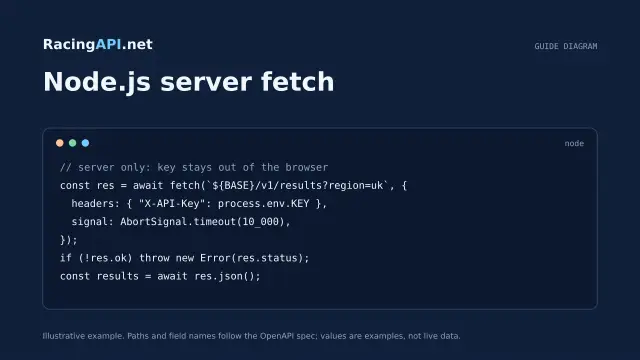
Horse racing API with JavaScript and Node.js
Build a secure Node.js horse racing API integration with server-side fetch, timeout control, schema checks and browser-safe presentation from RacingAPI.net.
 Development
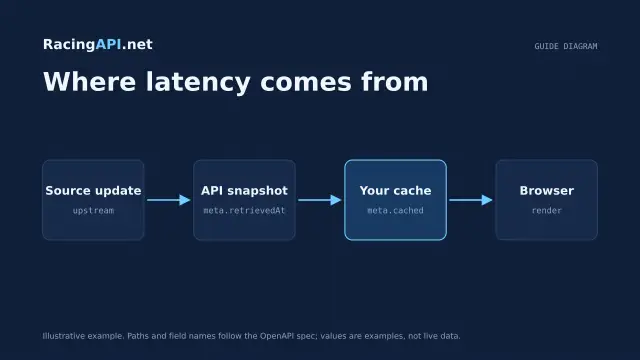
How fast is a horse racing API?
A practical guide to what “fast” means for RacingAPI.net: HTTP latency, source freshness, polling cadence, local caching and p50/p95 measurement.